CI integrations
The GitHub Action and the GitLab CI template run veridelta run in a pipeline, then report the result:
- they post the Markdown summary where reviewers look;
- they keep the JSON summary, the HTML report, and the OpenTelemetry metrics as artifacts;
- they fail the job on drift or on an error.
The examples pin v0.35.1.
GitHub Actions
This workflow compares the datasets on every pull request and comments with the summary:
name: Data parity
on: pull_request

permissions:
  contents: read
  pull-requests: write   # only needed for the summary comment

jobs:
  compare:
    runs-on: ubuntu-latest
    steps:
      - uses: actions/checkout@v7
      - uses: Veridelta/veridelta@v0.35.1
        with:
          config: veridelta.yaml
          extras: snowflake
        env:
          SNOWFLAKE_PASSWORD: ${{ secrets.SNOWFLAKE_PASSWORD }}
The comment looks like this one, from an example pull request that compares the demo's 40 accounts with a baseline:
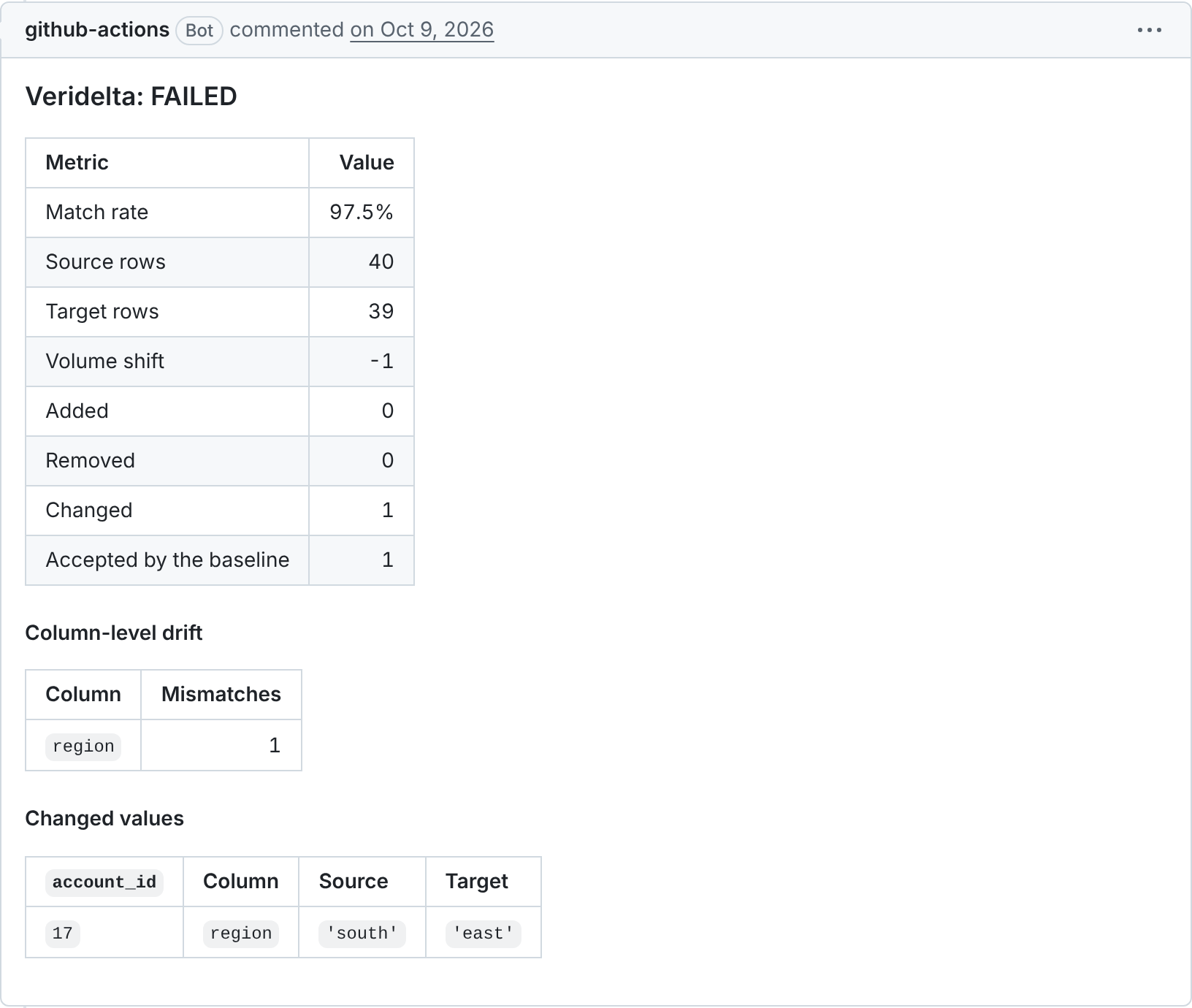
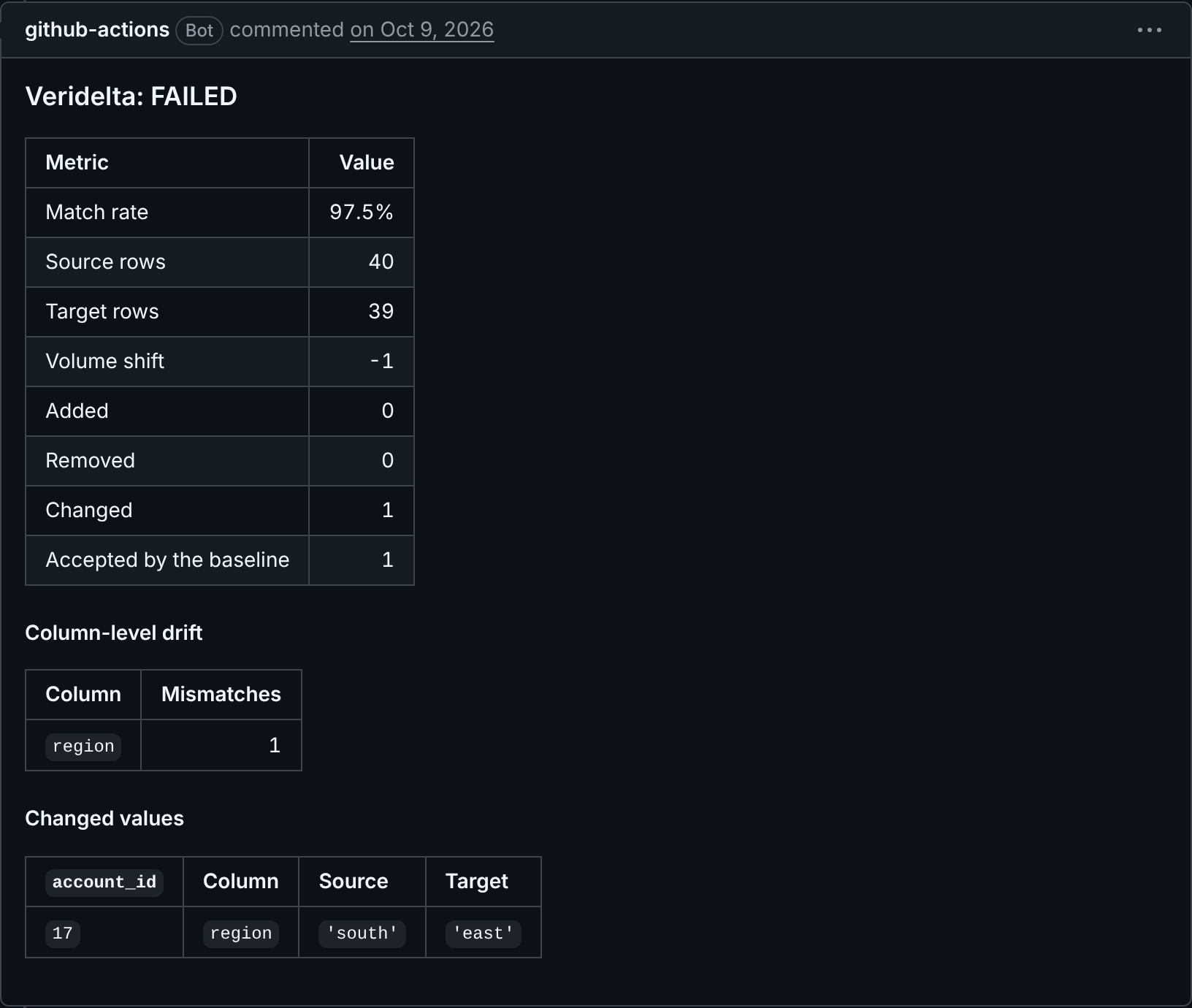
Version. Pin the action to a release tag such as v0.35.1, or to a commit SHA. The action installs Veridelta from its own ref, so the tag you pin is the version that runs. To keep the action at one ref and install a different version from PyPI, set version.
Credentials. Pass credentials as step environment variables, as above, and reference them from the configuration as ${SNOWFLAKE_PASSWORD}. See Environment variables.
What it does. The action:
- appends the summary to the job summary;
- uploads
summary.json,summary.md,report.html, andotel-metrics.jsonas one artifact; - on
pull_requestandpull_request_targetevents, keeps one comment perconfigpath up to date on the pull request. Matrix legs that run the same path write over each other's comment, so setcommenttofalseon all but one.
Forks. A pull request from a fork gets a read-only token, so the comment step logs a warning instead of failing.
Untrusted configurations. A configuration can read any URL and put any environment variable in it, so it can send a secret to whoever wrote it. Run the action with secrets in its environment only on a configuration from a ref you trust. A pull_request from a fork gets no secrets, which keeps that event safe. Never run the action under pull_request_target with the pull request's head checked out: that event has your secrets and a write token, while the head holds whatever the pull request's author wrote.
Inputs
| Input | Default | Meaning |
|---|---|---|
config |
veridelta.yaml |
Configuration file, relative to working-directory. |
baseline |
empty | Baseline file of drift the run accepts, relative to working-directory. See Accepting drift. |
working-directory |
. |
Directory the comparison runs in. |
extras |
empty | Optional extras to install, comma-separated, such as database,fuzzy. |
version |
empty | Install this version from PyPI instead of the action's own ref. |
python-version |
3.12 |
Python to run Veridelta with. |
html-max-rows |
1000 |
Rows per table in the HTML report. |
markdown-max-rows |
0 |
Changed values to list in the summary. See Values in the summary. |
otel-send |
false |
Send the run's OpenTelemetry metrics to an OTLP/HTTP endpoint. See Sending metrics to an observability backend. |
fail-on-mismatch |
true |
Fail the step on drift. An error always fails it. |
comment |
true |
Keep a summary comment on the pull request. |
github-token |
github.token |
Token used to comment. |
upload-artifact |
true |
Upload the reports as an artifact. |
artifact-name |
derived | Artifact name. Set it when a matrix runs one configuration more than once, since artifact names must be unique within a run. |
extras takes lowercase extra names, version a release number, and artifact-name letters, digits, spaces, dots, underscores, and hyphens. The action refuses any other value before it installs anything: exit-code is 2, the command line's code for invalid arguments, and status is error.
Outputs
| Output | Meaning |
|---|---|
status |
match, drift, or error. |
is-match |
true when the comparison matched within its threshold. |
exit-code |
Exit code of veridelta run. |
summary-json, summary-markdown, report-html |
Paths to the reports. Empty when the run did not finish. |
otel-metrics |
Path to the run's OpenTelemetry metrics. Empty when the run did not finish. |
To act on drift in a later step instead of failing, set fail-on-mismatch: false and read status.
The pull request comment ends with the run's counts as JSON, in an HTML comment that readers never see, so an agent that reads the pull request through the API can parse the result; see Markdown summary.
Accepting drift
A change made on purpose, such as an account closed for good, fails every pull request until a baseline accepts it. Write the file once with veridelta run --save-baseline accepted.json, read it, commit it next to the configuration, and pass it to the action:
The run then fails only on drift the file does not list, and the summary counts the rows it accepted. A missing or invalid file ends the run with status set to error, as does a pair compared where it is stored, which refuses a baseline.
Values in the summary
The summary lists counts and column names, never values, unless markdown-max-rows is above 0. It then lists up to that many changed values, lowest keys first. They appear in the job summary and the pull request comment, where anyone who can read the pull request can read them. Set it only where every such reader may see the data.
Sending metrics to an observability backend
The action writes the run's OpenTelemetry metrics on every run. Set otel-send: true to also send them to an OTLP/HTTP endpoint, such as a Collector or a vendor's OTLP intake. The step's env names the endpoint, and any header your backend requires, from secrets:
      - uses: Veridelta/veridelta@v0.35.1
        env:
          OTEL_EXPORTER_OTLP_ENDPOINT: ${{ secrets.OTLP_ENDPOINT }}
          OTEL_EXPORTER_OTLP_HEADERS: ${{ secrets.OTLP_HEADERS }}
          OTEL_RESOURCE_ATTRIBUTES: deployment.environment=ci,team=data
        with:
          config: veridelta.yaml
          otel-send: true
OTLP_HEADERS holds items such as api-key=<key>. Sending to an endpoint lists every variable. OTEL_RESOURCE_ATTRIBUTES tags the run with attributes from the environment. A send that fails makes the run an error, which fails the step even when the comparison matched.
GitLab CI
Include the template from a release tag, with its inputs:
include:
  - remote: https://raw.githubusercontent.com/Veridelta/veridelta/v0.35.1/ci/gitlab/veridelta.yml
    inputs:
      config: veridelta.yaml
      extras: snowflake
The template defines one job, named veridelta by default, which:
- installs the release the template ships with;
- prints the summary to the job log;
- keeps the reports and the OpenTelemetry metrics as artifacts, exposed on the merge request as "Veridelta report", unless
upload-artifactisfalse; - with
otel-sendset totrue, also sends the metrics, to the endpoint that masked CI/CD variables such asOTEL_EXPORTER_OTLP_ENDPOINTandOTEL_EXPORTER_OTLP_HEADERSname.
Merge request notes. To keep a summary note on the merge request, add a project access token with the api scope as a masked CI/CD variable named VERIDELTA_GITLAB_TOKEN. Without it, the job still runs and reports. The job keeps one note per config path. Two jobs that run the same path from different working directories write over each other's note.
Inputs:
config,working-directory,extras,html-max-rows,markdown-max-rows,otel-send,fail-on-mismatch,comment, andupload-artifactmean what they do for the GitHub Action, with the same defaults. Withmarkdown-max-rowsabove0, values appear in the job log and the merge request note.versiondefaults to the release the template ships with.python-versionis empty by default, which runs the image's Python. Set it, such as to"3.13", and uv downloads that version when the image lacks it.stage,job-name, andimageplace the job in your pipeline.
There is no github-token input, since the note reads the masked VERIDELTA_GITLAB_TOKEN variable. There is no artifact-name either, since GitLab keeps each job's artifacts apart. The template has no baseline input: it stays as it is unless a GitLab user asks for more, so open an issue to ask for one.
With upload-artifact set to false, the reports go to a temporary directory instead. GitLab then logs that no files match the artifact path, which does not change the job's result.
Credentials. Set them as masked CI/CD variables; the configuration reads them as ${NAME}.
Checking configurations in review
veridelta validate catches a configuration that cannot run before the comparison job does, and needs no credentials:
- uses: astral-sh/setup-uv@v10
- run: uvx veridelta@0.35.1 validate -c veridelta.yaml --allow-missing-env
--allow-missing-env reads each unset ${NAME} as the text NAME, with a warning, so the job needs no secrets. The job exits 1 on an error, and a warning never fails it. Install the same extras the comparison uses, such as uvx --from 'veridelta[snowflake]==0.35.1' veridelta validate ...: validate checks the environment it runs in. See Checking a configuration.
Exit codes and statuses
Both integrations read veridelta run's exit code together with its JSON summary:
| Status | Exit code | Meaning |
|---|---|---|
match |
0 | The comparison is within its threshold. |
drift |
1 | The JSON summary reports is_match: false. |
error |
3, or any other | The run did not finish, such as a configuration error, an unreachable source, a missing extra, or metrics otel-send could not send. There is no summary, and the job always fails. |
A pinned older release also exits 1 when it fails, so 1 counts as drift only when the summary says so.